Author: avitamrakar

  • Bilibili Earning in 2026: Can You Really Earn ₹60 Per 1,000 Views?

    Bilibili has suddenly started getting a lot of attention among creators after reports claimed that the video platform may pay around $0.70, or roughly ₹60, per 1,000 views.

    For new creators, that sounds interesting. YouTube monetization usually takes time to unlock, competition is extremely high, and getting the first few thousand views can be difficult. So when another large video platform appears to offer creator earnings with potentially lower barriers, people naturally want to know more.

    But there is an important question:

    Does Bilibili really pay ₹60 for every 1,000 views?

    The short answer is: reports suggest that creators may earn around that amount, but Bilibili has not announced ₹60 per 1,000 views as a fixed universal payout rate.

    Bilibili does have official creator monetization systems, including incentives, fan support and earnings withdrawal for eligible overseas creators. However, the amount a creator earns can vary based on the program, content, audience, engagement and other factors.

    In this guide, we will understand what Bilibili is, how creators can make money on the platform, the truth behind the viral ₹60-per-1,000-views claim, and whether Indian creators should consider Bilibili in 2026.
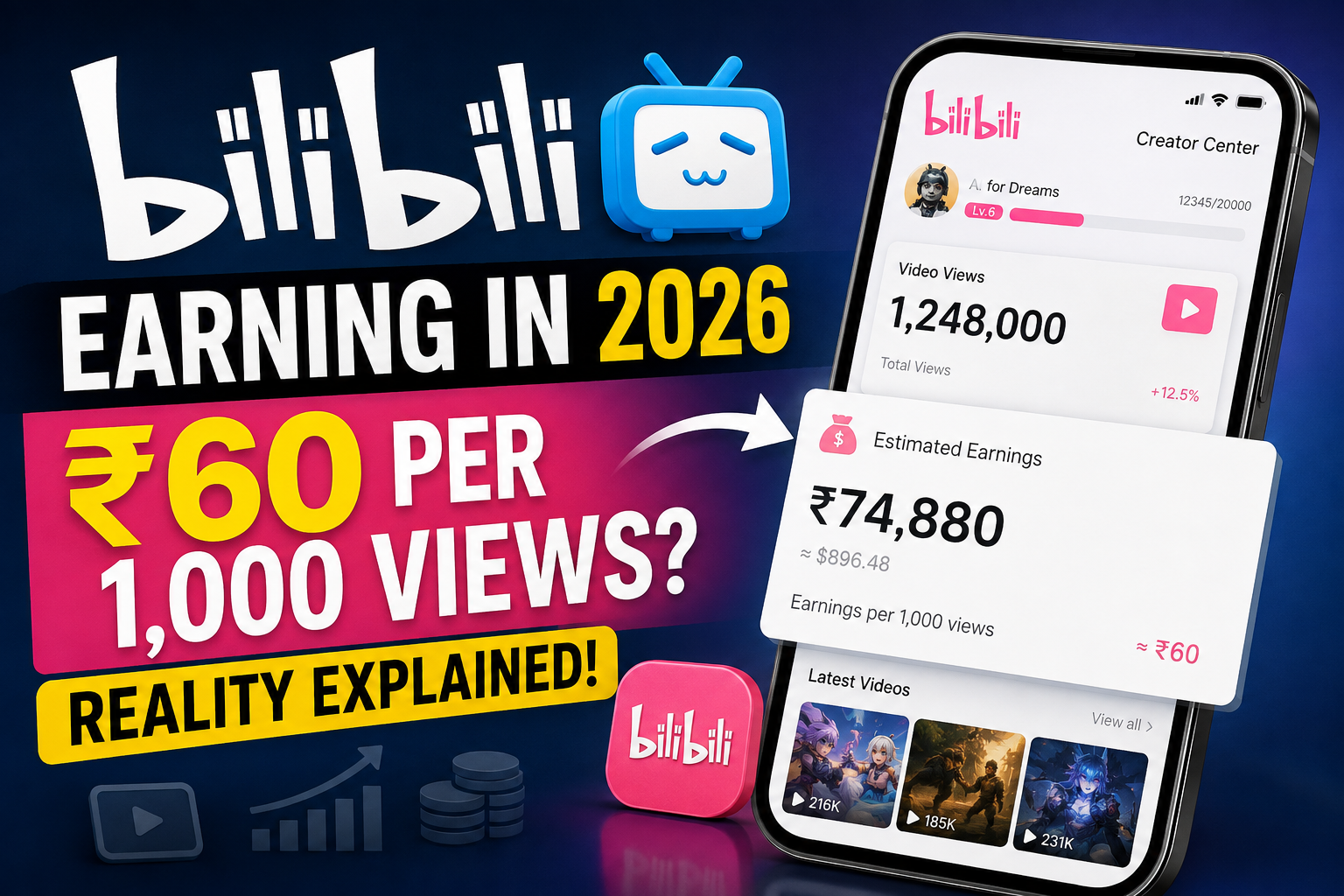
    Bilibili earning in 2026 and reported earnings per 1000 views

    What Is Bilibili?

    Bilibili is a major video-sharing and entertainment platform that originated in China.

    At first, the platform became especially popular among communities interested in animation, comics and gaming. Over time, however, Bilibili expanded far beyond those categories.

    Today, users can find content related to technology, education, gaming, lifestyle, entertainment, music, knowledge, business and many other topics.

    In many ways, people compare Bilibili with YouTube because creators can upload videos, build followers and monetize their content.

    However, Bilibili also has its own community culture and interactive features.

    The company continues to invest heavily in its creator ecosystem. In the first half of 2026, Bilibili reported that the number of creators with more than 1,000 followers increased by 30% year over year, while average income per creator increased by 22%.

    That makes the platform worth watching, especially as Bilibili tries to reach more users and creators outside mainland China.


    Why Is Bilibili Suddenly Trending?

    The main reason Bilibili is trending among creators right now is a reported creator payout figure.

    Several reports recently claimed that Bilibili may be offering approximately:

    $0.70 per 1,000 views

    At current exchange rates, that is roughly around:

    ₹58–₹66 per 1,000 views

    This quickly attracted attention because creators started comparing Bilibili earnings with YouTube earnings.

    For example, if the reported rate remained the same:

    10,000 views could theoretically generate around ₹600.

    100,000 views could theoretically generate around ₹6,000.

    1 million views could theoretically generate around ₹60,000.

    But these numbers are only examples based on the reported ₹60 rate.

    They should not be treated as guaranteed earnings.


    Does Bilibili Really Pay ₹60 Per 1,000 Views?

    This is the most important part of the article.

    The ₹60-per-1,000-views figure is currently being widely reported, but Bilibili itself has not confirmed a universal fixed RPM of ₹60 for every creator and every video.

    That distinction matters.

    A creator might see different earnings depending on factors such as:

    • audience quality,
    • content category,
    • engagement,
    • advertising demand,
    • region,
    • monetization program,
    • valid views,
    • platform incentives.

    So a headline saying:

    “Bilibili guarantees ₹60 per 1,000 views”

    would be misleading.

    A more accurate statement is:

    Bilibili is reportedly offering earnings of around $0.70 per 1,000 views in some creator monetization contexts, but actual creator earnings may vary.

    This is similar to most creator platforms.

    Even YouTube does not pay every channel the exact same amount per 1,000 views.


    How Does Bilibili Creator Monetization Work?

    Bilibili does not rely on only one monetization method.

    Creators can potentially earn money through several parts of its ecosystem.

    1. Creator Incentives

    Bilibili has operated creator incentive programs that reward eligible original content.

    The platform evaluates content and creator activity according to its program rules rather than simply guaranteeing one fixed payment for every view.

    Bilibili’s official creator incentive documentation has historically emphasized original content and creator eligibility.


    2. Fan Charging

    Bilibili also allows fans to financially support creators.

    This is somewhat similar to memberships, donations or direct fan support available on other creator platforms.

    This part of Bilibili’s ecosystem is becoming increasingly important.

    The company reported that revenue from its fan-charging program increased by more than 50% year over year during the first half of 2026.

    For creators with a loyal audience, direct fan support may eventually become more valuable than basic advertising revenue.


    3. Brand Collaborations

    Creators with strong audiences may also work with brands.

    Brands increasingly want access to niche communities rather than simply buying broad advertising impressions.

    Creators working in areas such as gaming, technology, lifestyle and entertainment could potentially find sponsorship opportunities as their audience grows.


    4. Live Streaming

    Live streaming is another important part of the Bilibili ecosystem.

    Creators may be able to build communities through live content and receive virtual support from viewers.

    This makes Bilibili more than simply a video-upload platform.


    Can International Creators Earn Money on Bilibili?

    This is where things become particularly interesting.

    Bilibili has an official agreement specifically for creators living outside mainland China.

    Under that agreement, eligible overseas creators can enter into a creator-services relationship with Bilibili Singapore Pte. Ltd.

    The agreement states that overseas creators can receive earnings generated from eligible creative content and withdraw those earnings after completing the required verification and payment setup.

    Bilibili also publishes separate withdrawal rules for non-mainland Chinese and overseas accounts.

    So international creator monetization is not simply an internet rumor.

    There is an official framework for overseas creators.


    Can Indian Creators Earn From Bilibili?

    For Indian creators, this is probably the biggest question.

    Bilibili’s overseas creator agreement applies broadly to eligible creators who reside outside mainland China and are not Chinese nationals.

    That suggests the platform has infrastructure for international creators.

    However, Indian creators should not assume that every monetization feature will automatically appear on every account.

    Availability can depend on:

    • account eligibility,
    • identity verification,
    • country support,
    • payment method,
    • creator program access,
    • current Bilibili policies.

    Therefore, the safest approach is to create an account, check the creator dashboard and verify what monetization programs are currently available to your account.

    If a feature is not shown inside your account, do not rely only on screenshots or claims from another creator.


    What Are the Bilibili Monetization Requirements?

    You may currently see different eligibility numbers circulating online.

    Some reports claim relatively low thresholds, while other guides mention higher requirements.

    Because creator programs can change and different monetization products may have different eligibility standards, it would be risky to treat one number as the universal requirement for every creator.

    Instead, creators should check the current requirement shown inside their own Bilibili Creator Center.

    There are, however, some requirements that are consistently important.

    Original Content

    Your videos should be original or content for which you have the necessary rights.

    Bilibili’s creator rules place significant importance on copyright ownership and valid authorization.

    Re-uploading copyrighted movies, anime, YouTube videos or other creators’ clips can create serious problems.


    Identity Verification

    Creators may need to complete real-name identity verification before accessing certain creator and withdrawal features.

    For overseas creators, Bilibili’s agreement mentions identity documents such as passports or other accepted identification.


    Valid Payment Information

    To withdraw money, an eligible creator needs to provide the required payment and banking information.

    The exact payment options and fees may vary depending on the creator’s country.


    Follow Platform Rules

    Fake traffic, copyright violations, misleading content and other policy violations can affect monetization eligibility.

    Trying to artificially generate thousands of views is not a sustainable strategy.


    How Do Bilibili Withdrawals Work for Overseas Creators?

    Bilibili’s official rules provide useful information here.

    For eligible overseas creator accounts, earnings can be represented through the platform’s ShellCoin system.

    Creators can access their earnings information through the relevant Bilibili wallet area.

    According to the current official overseas withdrawal rules:

    A withdrawal request can generally be submitted once per week.

    The documented single-withdrawal range is 1,000 to 50,000 ShellCoins, although Bilibili says limits can change depending on regulations, banks or payment providers.

    There is another important detail.

    Bilibili’s overseas creator-service agreement currently states that Bilibili Singapore may deduct a 21% service fee from withdrawals under that agreement.

    Additional taxes, bank charges or payment-channel fees may also apply depending on the creator’s location.

    This is something creators should consider before calculating their final take-home income.


    Example: How Much Could You Earn From Bilibili?

    Suppose we use the widely reported figure of ₹60 per 1,000 views only as an example.

    ViewsExample Gross Earning
    1,000₹60
    10,000₹600
    50,000₹3,000
    100,000₹6,000
    500,000₹30,000
    1,000,000₹60,000

    Again, these are not guaranteed Bilibili payouts.

    They simply show what the earnings would look like if a creator actually received approximately ₹60 per 1,000 eligible views.

    Your real results could be higher or lower.


    Bilibili vs YouTube: Which Is Better for Creators?

    At the moment, YouTube still has a major advantage.

    YouTube has a massive global audience, a mature advertising ecosystem and a well-established creator economy.

    Bilibili, on the other hand, may offer something different: an opportunity to enter a platform while its global creator ecosystem is still developing.

    For established creators, YouTube probably should not be abandoned.

    For newer creators, however, Bilibili could potentially work as an additional distribution channel.

    Instead of thinking:

    YouTube OR Bilibili

    a smarter strategy may be:

    YouTube + Bilibili + other short-form platforms

    One piece of original content can often be adapted for multiple platforms while respecting each platform’s rules.


    Advantages of Trying Bilibili

    One major advantage is timing.

    If Bilibili successfully expands internationally, creators who enter early may have less competition than creators entering mature platforms later.

    Another advantage is diversification.

    Depending entirely on YouTube, Instagram or one social platform can be risky.

    A new distribution channel gives creators another opportunity to find an audience.

    Bilibili also already has a large and highly engaged user community, so this is not a small startup trying to build its first audience.


    Risks You Should Know Before Starting

    The first risk is expecting guaranteed income.

    You should not start uploading videos simply because someone claims you will receive ₹60 for every 1,000 views.

    The second risk is copyright.

    Bilibili has a strong entertainment culture, but that does not mean creators can simply download anime clips, movies or other people’s videos and monetize them.

    The third risk is language and audience fit.

    Content that performs well on YouTube India may not automatically perform well on Bilibili.

    Creators may need to learn what Bilibili users actually watch.

    Finally, platform policies can change.

    Creator incentives that look attractive today may be changed, restricted or replaced later.


    What Content Could Work on Bilibili?

    Instead of immediately creating completely new videos, creators could test some of their strongest existing original formats.

    Potential categories include:

    Technology tutorials, AI tools, gaming, educational videos, animation-related content, productivity, software tutorials, entertainment commentary and knowledge-based content.

    Knowledge-oriented content is particularly interesting because Bilibili reported that watch time for knowledge-based content, including AI-related information, continued growing in 2026.

    For an Indian creator, English-language technology and AI content could therefore be an interesting category to experiment with.

    But testing is more important than guessing.

    Publish a small number of high-quality videos first and study the results.


    Should You Leave YouTube and Move to Bilibili?

    No.

    That would be a mistake for most creators.

    Bilibili should currently be viewed as an additional opportunity, not an automatic replacement for YouTube.

    If you already create videos, try publishing selected original content on Bilibili and monitor:

    views,

    followers,

    watch time,

    engagement,

    monetization access,

    and actual earnings.

    After 30–60 days, you will have real data to decide whether the platform deserves more of your time.


    Is Bilibili Worth Trying in 2026?

    Yes, Bilibili is worth testing.

    But there is a big difference between testing a platform and building your entire income strategy around a viral earning claim.

    The reported ₹60-per-1,000-views number is interesting, but creators should wait for their own dashboard data before treating it as a reliable earning rate.

    What makes Bilibili genuinely interesting is not only that number.

    The stronger signal is that Bilibili has an established creator ecosystem, official overseas creator agreements, international withdrawal infrastructure and growing creator income on its platform.

    That makes it a platform creators should watch closely during 2026.


    Frequently Asked Questions

    Is Bilibili an earning app?

    Bilibili is primarily a video and entertainment platform rather than a dedicated earning app. However, eligible creators can potentially earn through creator programs, fan support, live streaming and other monetization methods.

    Does Bilibili pay ₹60 for 1,000 views?

    Recent reports suggest a figure of around $0.70, roughly ₹60, per 1,000 views in some creator contexts. However, Bilibili has not confirmed ₹60 as a guaranteed universal payout for every creator.

    Can Indian creators join Bilibili?

    Bilibili has official terms and creator-service arrangements for users and creators outside mainland China. Actual creator features and monetization availability should still be checked on the individual account.

    Is Bilibili better than YouTube?

    Not necessarily. YouTube currently has a much larger global creator ecosystem. Bilibili may be better viewed as an additional platform where creators can experiment with reaching a new audience.

    Can I upload my YouTube videos to Bilibili?

    If the content is completely yours and you hold all necessary rights, cross-platform publishing may be possible subject to Bilibili’s terms. Avoid uploading copyrighted or third-party content without permission.

    How much can 1 million Bilibili views earn?

    Using the currently reported ₹60-per-1,000-views figure as an example, 1 million views would equal around ₹60,000 before possible fees or deductions. This is only an illustration, not a guaranteed payout.


    Final Verdict

    Bilibili is one of the more interesting creator platforms to watch in 2026.

    The viral claim that creators can earn approximately ₹60 for every 1,000 views has understandably generated excitement, especially among creators searching for alternatives to YouTube.

    However, creators should remain realistic.

    ₹60 per 1,000 views is a reported figure, not a guaranteed fixed Bilibili rate.

    What is confirmed is that Bilibili has real creator monetization systems, supports qualifying overseas creators through Bilibili Singapore, and has built withdrawal infrastructure for international creator earnings.

    So should you try Bilibili?

    Yes — but treat it as an experiment first.

    Upload original content, understand the audience, monitor your actual analytics and earnings, and then decide whether Bilibili deserves a permanent place in your creator strategy.

    For creators willing to explore a platform before it becomes overcrowded, Bilibili may be worth keeping on the radar in 2026.
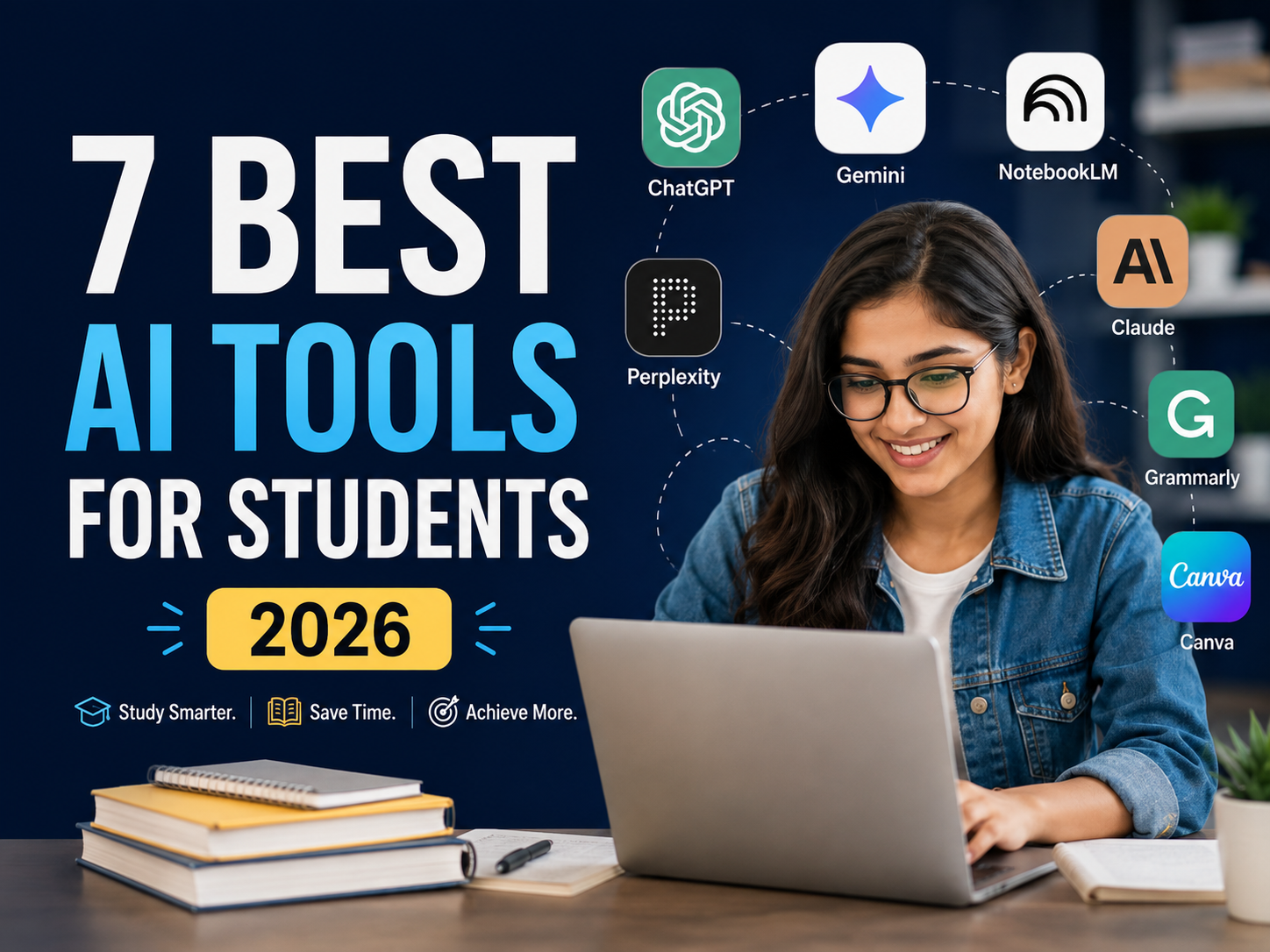

  • 7 Best AI Tools for Students in 2026 to Study Smarter

    AI is quickly becoming part of everyday student life.

    From understanding difficult concepts and researching assignments to improving writing, preparing for exams and creating presentations, students now have access to tools that can make learning faster and more organized.

    But there is one problem.

    There are hundreds of AI tools available.

    Trying to use all of them can make studying more complicated instead of easier.

    The goal is not to use as much AI as possible.

    The goal is to choose the right AI tool for the right task.

    In this guide, we look at 7 of the best AI tools for students in 2026, what each tool is useful for, and how students can use AI responsibly without replacing their own thinking.


    AI Tool Best For Free Plan
    ChatGPT Overall learning & explanations ✓ Yes
    Google Gemini Learning & Google ecosystem ✓ Yes
    NotebookLM Notes, PDFs & study material ✓ Yes
    Perplexity Research & finding sources ✓ Yes
    Claude Long documents & explanations ✓ Yes
    Grammarly Writing & proofreading ✓ Yes
    Canva Presentations & visual projects ✓ Yes

    You probably do not need all seven.

    For most students, two or three well-chosen tools are enough.


    1. ChatGPT — Best Overall AI Tool for Students

    Best for: Learning concepts, revision, brainstorming, study plans and practice questions

    ChatGPT is one of the most flexible AI tools available to students.

    It can help explain difficult topics, create quizzes, simplify complicated information, brainstorm project ideas and build personalized study plans.

    The biggest mistake students make with ChatGPT is using it only to get answers.

    It becomes much more useful when you use it as a learning assistant.

    What students can use ChatGPT for

    • Understanding difficult concepts
    • Creating study plans
    • Generating practice questions
    • Revising before exams
    • Summarizing notes
    • Brainstorming project ideas
    • Improving written work
    • Learning new skills
    • Preparing for interviews
    • Practicing conversations

    Example prompt

    Instead of asking:

    “What is photosynthesis?”

    Try:

    “Teach me photosynthesis step by step like I am a Class 10 student. Use simple examples and ask me five questions at the end to test my understanding.”

    This encourages active learning instead of simply copying an answer.

    Another useful prompt

    “I have an exam in seven days. Here is my syllabus. Create a realistic seven-day study plan with revision and practice sessions.”

    Who should use ChatGPT?

    ChatGPT is a good starting point for students who want one flexible AI tool for many different tasks.


    2. Google Gemini — Best for Google Users

    Best for: Learning, research, explanations and students already using Google services

    Google Gemini is another powerful AI assistant for students.

    It can help explain topics, create practice questions, organize information, brainstorm ideas and assist with research.

    Gemini is especially convenient for students who already spend a lot of time using Google products.

    Students can use Gemini for

    • Understanding difficult subjects
    • Creating quizzes
    • Research
    • Exam preparation
    • Writing ideas
    • Summarizing information
    • Learning new concepts
    • Planning projects
    • Understanding images
    • Brainstorming presentations

    Example prompt

    “Explain Newton’s laws of motion using everyday examples. After explaining each law, give me one question to solve.”

    Another useful approach is:

    “Ask me 10 questions about this chapter one by one. If I answer incorrectly, explain the mistake before moving to the next question.”

    This turns AI into a more interactive study partner.

    Who should use Gemini?

    Gemini is worth considering if you already use Google products regularly and want a general-purpose AI assistant for studying.


    3. NotebookLM — Best for Studying From Your Own Notes

    Best for: PDFs, lecture notes, research papers and course material

    NotebookLM is particularly useful because it allows students to work with their own study material.

    Instead of asking general questions, you can add your notes, documents, PDFs or other learning material and then explore the information inside those sources.

    This makes it useful for revision.

    Imagine your teacher gives you a 50-page PDF.

    Instead of repeatedly searching through the entire document, you can use your source material to identify important concepts and organize your revision.

    Students can use NotebookLM for

    • Understanding PDFs
    • Reviewing lecture notes
    • Creating study guides
    • Research
    • Comparing documents
    • Organizing information
    • Preparing for exams
    • Reviewing important concepts

    Example prompt

    “Based on these notes, identify the 10 most important concepts I should understand before my exam.”

    Then ask:

    “Create 20 practice questions based on those concepts.”

    You can also ask:

    “Explain the most difficult sections in simpler language.”

    Who should use NotebookLM?

    NotebookLM is especially useful for college and university students who regularly work with large amounts of course material.


    4. Perplexity — Best AI Tool for Research

    Best for: Research, current information and finding sources

    Research is one of the most useful applications of AI for students.

    However, there is an important question you should always ask:

    Where did this information come from?

    Perplexity is useful because it combines AI-generated answers with links to sources that you can inspect.

    This can make the research process faster.

    Students can use Perplexity for

    • Research assignments
    • Finding useful sources
    • Exploring new topics
    • Comparing information
    • Learning about current events
    • Starting research projects
    • Finding articles and references

    Example

    Suppose your assignment topic is:

    “How is artificial intelligence changing education?”

    You could search:

    “Explain the major ways AI is changing higher education and provide reliable sources for each major point.”

    Then open the sources.

    Read them.

    Verify the information.

    And write your own explanation.

    Important

    Do not simply copy the AI-generated answer into your assignment.

    A better workflow is:

    Discover → Verify → Understand → Write

    Who should use Perplexity?

    Perplexity is particularly useful for students working on reports, presentations and research-heavy assignments.


    5. Claude — Best for Long Documents and Detailed Explanations

    Best for: Long readings, essays, analysis and complex topics

    Claude is another useful general-purpose AI assistant.

    It is especially helpful when you are working with a lot of text or need a detailed explanation of a complicated subject.

    Students can use it to explore ideas, review writing, understand long readings and organize complex information.

    Students can use Claude for

    • Understanding long documents
    • Breaking down difficult concepts
    • Reviewing essays
    • Brainstorming
    • Creating outlines
    • Comparing ideas
    • Research
    • Improving explanations

    Example prompt

    “Break this chapter into five important concepts. Explain each concept in simple language and give me one real-world example.”

    For writing, try:

    “Review my essay structure without rewriting it. Tell me where my argument is unclear and which sections need stronger evidence.”

    This keeps you in control of your work.

    Who should use Claude?

    Claude can be useful for students who regularly deal with long readings, essays, reports or complex subjects.


    6. Grammarly — Best for Student Writing

    Best for: Essays, grammar, proofreading and clearer writing

    Good ideas are important.

    But students also need to communicate those ideas clearly.

    Grammarly can help identify grammar problems, awkward sentences, unclear wording and other writing issues.

    The best way to use a writing tool is to create your own first draft and then use AI to improve it.

    Grammarly can help with

    • Grammar
    • Spelling
    • Sentence clarity
    • Tone
    • Proofreading
    • Repetition
    • Improving readability
    • Revising drafts

    A good workflow

    First:

    Write your assignment yourself.

    Then use Grammarly to identify:

    • Grammar mistakes
    • Unclear sentences
    • Repeated words
    • Awkward phrases
    • Tone problems

    After that, review every suggestion yourself.

    Do not accept changes blindly.

    Who should use Grammarly?

    It is useful for students who regularly write essays, assignments, reports, applications or professional emails.


    7. Canva — Best for Presentations and Visual Projects

    Best for: Presentations, posters, infographics and visual assignments

    Not every student assignment is an essay.

    Many students also need to create:

    • Presentations
    • Posters
    • Infographics
    • Charts
    • Videos
    • Project reports
    • Social media graphics

    Canva makes it easier to turn ideas into clean visual content.

    AI-assisted features can also help students brainstorm layouts, organize presentations and create visual elements.

    Example

    Suppose your presentation topic is:

    “The Impact of Climate Change on Agriculture.”

    You can first create a structure:

    1. Introduction
    2. Major causes
    3. Effects on agriculture
    4. Real-world examples
    5. Possible solutions
    6. Conclusion

    Then use Canva to turn that structure into a clean presentation.

    Who should use Canva?

    Canva is useful for students who regularly create presentations, posters, projects or visual content.


    Which AI Tool Is Best for Students?

    There is no single best tool for everyone.

    It depends on your goal.

    If you want one tool for many tasks

    Start with ChatGPT.

    If you already use Google heavily

    Try Gemini.

    If you study from PDFs and notes

    Use NotebookLM.

    If you need research and sources

    Try Perplexity.

    If you work with long documents

    Consider Claude.

    If you want to improve your writing

    Use Grammarly.

    If you create presentations

    Use Canva.

    The important thing is to start with the problem, not the tool.


    Best Free AI Tools for Students

    Students do not need to immediately pay for several AI subscriptions.

    Many popular tools provide free plans or free access.

    A simple free setup could look like this:

    Learning: ChatGPT or Gemini

    Research: Perplexity

    Study Material: NotebookLM

    Writing: Grammarly

    Presentations: Canva

    Start with free versions.

    Only consider paying when a tool is already helping you regularly and a paid feature solves a real limitation.


    5 Practical Ways Students Can Use AI

    Knowing which tools exist is only the beginning.

    The real value comes from knowing how to use them.

    1. Ask AI to Teach You Instead of Giving the Answer

    Bad prompt:

    “Give me the answer.”

    Better prompt:

    “Help me solve this problem step by step. Don’t give me the final answer until I try.”

    This forces you to participate.


    2. Turn Your Notes Into Practice Questions

    Paste your study notes and ask:

    “Create 15 exam-style questions based only on these notes. Ask them one at a time and explain every mistake I make.”

    This turns passive notes into active practice.


    3. Ask for Simpler Explanations

    If you do not understand something, ask:

    “Explain this in simpler language.”

    Then:

    “Give me a real-world example.”

    Then:

    “Now explain the same concept at university level.”

    Different explanations can help you understand difficult ideas.


    4. Create a Personalized Study Plan

    Try:

    “My exam is in 14 days. I can study for two hours each day. Here is my syllabus. Create a realistic study plan including revision and practice tests.”

    You can then update the plan based on your progress.


    5. Find Your Weak Areas

    After studying a topic, ask:

    “Give me 10 challenging questions about this topic. After I answer them, tell me which areas I need to revise.”

    This can be more useful than repeatedly reading the same chapter.


    7 Useful AI Prompts for Students

    Here are seven prompts you can copy and use.

    Prompt 1: Learn a Topic

    “Teach me [TOPIC] from beginner level. Use simple examples and ask me questions throughout the lesson to check my understanding.”

    Prompt 2: Prepare for an Exam

    “Create a seven-day revision plan for [SUBJECT]. I can study for [X] hours per day. Include revision and practice questions.”

    Prompt 3: Create a Quiz

    “Give me 15 questions about [TOPIC], one at a time. Do not show the answer until I respond. Explain every mistake.”

    Prompt 4: Understand Notes

    “Turn these notes into a simple study guide containing important concepts, definitions and examples.”

    Prompt 5: Create Flashcards

    “Create 20 question-and-answer flashcards based only on the following study material.”

    Prompt 6: Improve an Essay

    “Review this essay without rewriting it. Identify unclear arguments, grammar problems and areas where stronger evidence is needed.”

    Prompt 7: Research a Topic

    “Help me research [TOPIC]. Break it into the most important areas I should investigate and tell me what types of reliable sources I should look for.”


    How to Use AI Responsibly as a Student

    AI can save a lot of time.

    But saving time should not mean avoiding learning.

    There is a big difference between:

    Using AI to understand something

    and

    Using AI to do everything for you.

    A useful workflow is:

    Ask → Understand → Verify → Practice → Create

    Before submitting academic work:

    • Verify important facts
    • Check original sources
    • Follow your school’s AI policy
    • Never invent citations
    • Do not blindly copy AI-generated text
    • Keep your own voice
    • Make sure you understand what you submit

    Remember that AI can make mistakes.

    An answer that sounds confident is not automatically correct.

    Use AI as an assistant, not as an unquestionable source.


    Can AI Actually Make Students More Productive?

    Yes, if it is used properly.

    Imagine spending an hour manually creating revision questions from your notes.

    An AI tool might help produce the first set of questions in a few minutes.

    You can then spend the saved time answering those questions.

    That is a useful application of AI.

    The goal should not be:

    Do less thinking.

    The goal should be:

    Spend less time on repetitive tasks and more time learning.


    Do Students Need Multiple AI Tools?

    Usually not.

    Using ten different AI tools can actually reduce productivity because you spend more time switching between apps.

    A simple setup could be:

    ChatGPT or Gemini → Learning

    NotebookLM → Notes and PDFs

    Perplexity → Research

    Grammarly → Writing

    Canva → Presentations

    You may not even need all five.

    Start with one problem.

    Choose one tool.

    See if it genuinely helps.


    AI Tools vs Traditional Studying

    AI does not make traditional study methods useless.

    Students still need to:

    • Read
    • Take notes
    • Solve problems
    • Practice
    • Ask questions
    • Discuss ideas
    • Build projects
    • Think critically

    AI works best when it improves those activities.

    For example:

    Traditional approach

    Read chapter → Take notes → Revise

    AI-assisted approach

    Read chapter → Take notes → Create AI practice questions → Answer questions → Identify weak areas → Revise

    The AI adds feedback and personalization.

    It should not remove the learning process.


    What Is the Best AI Tool for Students in 2026?

    If you only want one recommendation, start with ChatGPT or Gemini.

    Both can support many different student tasks.

    However, specialized tools can be better for specific situations.

    Use Perplexity for research.

    Use NotebookLM for your own notes and documents.

    Use Claude for long or complicated material.

    Use Grammarly for writing.

    Use Canva for presentations and visual projects.

    The best AI tool is the one that solves the problem you actually have.


    Final Thoughts

    AI tools are becoming a normal part of education.

    But the students who benefit most from AI will probably not be those who ask it to do everything.

    They will be the students who know when and how to use it.

    Use AI to:

    Understand faster.

    Research better.

    Practice more.

    Organize your learning.

    Improve your work.

    But keep your own judgment, curiosity and critical thinking.

    If you are just starting with AI, do not sign up for ten different tools.

    Choose one problem.

    Try one tool.

    See whether it genuinely improves the way you study.

    Then build from there.


    Frequently Asked Questions

    What are the best AI tools for students in 2026?

    ChatGPT, Gemini, NotebookLM, Perplexity, Claude, Grammarly and Canva are useful options for students. The best tool depends on whether you need help with studying, research, writing, notes or presentations.

    What is the best free AI tool for students?

    ChatGPT and Gemini are good general-purpose starting points. Other platforms such as Perplexity, NotebookLM, Grammarly and Canva also provide free features or plans.

    Is ChatGPT useful for students?

    Yes. Students can use ChatGPT to understand concepts, create quizzes, prepare study plans, review notes and practice for exams.

    Which AI tool is best for research?

    Perplexity can be useful for research because it helps users discover information and source links. Students should always open and verify original sources before using them in academic work.

    Which AI tool is best for studying PDFs?

    NotebookLM is useful for working with source material such as notes, documents and PDFs.

    Can students use AI for assignments?

    AI can support brainstorming, research, explanations and editing, but students should follow their school’s academic-integrity rules and should not submit prohibited AI-generated work as their own.

    Are AI tools safe for students?

    Students should avoid uploading private, confidential or sensitive information and should understand the privacy and school policies that apply to the tools they use.

    Will AI replace studying?

    No. AI can make parts of studying faster, but learning still requires understanding, practice, critical thinking and applying knowledge independently.


    Continue Reading

    AI is not useful only for students.

    If you are preparing for internships, your first job or already working professionally, read:

    How to Use AI at Work: 15 Practical Ways to Save Time in 2026

    Use the title above as an internal link to your first article.

  • How to Use AI at Work: 15 Practical Ways to Save Time in 2026

    Artificial intelligence is quickly becoming a practical part of everyday work. You do not need to be a programmer, data scientist, or AI expert to benefit from it.

    Used well, AI can help you write faster, organize information, brainstorm ideas, research topics, prepare for meetings, summarize documents, and reduce repetitive work.

    The goal is not to let AI do your job for you. The goal is to use AI as a capable assistant so you can spend more time on judgment, creativity, communication, and important decisions.

    In this guide, we will look at 15 practical ways to use AI at work, along with examples you can start applying immediately.

    What Does Using AI at Work Actually Mean?

    Using AI at work simply means using artificial intelligence tools to assist with tasks that normally take time, attention, or repetitive effort.

    For example, an AI assistant can help you:

    • Draft and improve written content
    • Summarize long information
    • Generate and organize ideas
    • Research unfamiliar topics
    • Prepare meeting notes
    • Analyze basic information
    • Create checklists and plans
    • Turn rough notes into structured documents
    • Automate repetitive workflows

    AI works best when it supports human decision-making rather than replacing it.

    A good rule is simple: let AI help with the first draft, organization, analysis, or repetitive work, while you remain responsible for accuracy and the final decision.

    1. Draft Emails Faster

    Email is one of the easiest places to start using AI at work.

    Instead of spending ten minutes thinking about how to phrase a message, you can provide the important information and ask an AI assistant to create a professional draft.

    For example:

    Prompt:

    “Write a concise professional email to a client explaining that the project review will be completed tomorrow afternoon. Keep the tone polite and confident.”

    You can then review the draft, adjust the details, and send it.

    This can be especially useful for follow-ups, meeting confirmations, status updates, customer communication, and internal emails.

    2. Improve Your Writing

    AI is also useful when you already know what you want to say but your writing feels unclear.

    You can use it to improve:

    • grammar
    • clarity
    • structure
    • tone
    • conciseness
    • professionalism

    For example, you might write a rough paragraph and ask:

    “Rewrite this so it is clearer and more professional without changing the meaning.”

    This can help with reports, proposals, emails, presentations, documentation, and many other types of business writing.

    Always review the final version before using it.

    3. Summarize Long Documents

    Long reports, meeting notes, research papers, and business documents can take considerable time to read.

    AI can help you create a first summary.

    You can ask for:

    “Summarize this document in five key points and highlight any decisions, risks, and action items.”

    The summary can help you quickly understand the structure of the document before reading the most important sections in detail.

    For important legal, financial, technical, or business documents, never rely only on an AI-generated summary. Verify important information against the original source.

    4. Brainstorm New Ideas

    AI can be a useful brainstorming partner when you are facing a blank page.

    You could use it for:

    • blog topics
    • marketing campaigns
    • product ideas
    • presentation themes
    • sales approaches
    • process improvements
    • customer engagement ideas

    Instead of asking for generic ideas, give the AI context.

    For example:

    “Give me 15 content ideas for a software company targeting small business owners in India. Focus on practical problems around productivity, sales, and automation.”

    More context usually produces more useful results.

    5. Prepare for Meetings

    Before a meeting, you can use AI to organize your thinking.

    Give it the meeting goal and relevant context, then ask it to create:

    • an agenda
    • discussion questions
    • key talking points
    • potential objections
    • preparation notes

    For example:

    “Create a 30-minute agenda for a meeting with a potential CRM client. The goal is to understand their sales process, current problems, team size, and software requirements.”

    You still control the conversation, but AI can help you arrive better prepared.

    6. Turn Meeting Notes Into Action Items

    After a meeting, rough notes are often scattered and difficult to follow.

    AI can convert those notes into a structured summary containing:

    Decisions

    Action items

    Owners

    Deadlines

    Open questions

    This makes follow-up significantly easier.

    Before sharing the result, confirm that the AI has correctly interpreted names, deadlines, numbers, and responsibilities.

    7. Research a New Topic

    AI can help you understand unfamiliar subjects faster.

    For example, imagine you need to learn about CRM software, cloud hosting, digital marketing, or a new business trend.

    Instead of beginning with dozens of disconnected searches, you can first ask:

    “Explain CRM software to a beginner. Cover what it does, who uses it, the major features, common implementation challenges, and the questions I should research next.”

    This gives you a starting framework.

    However, AI should not be treated as your only source. For decisions that depend on current facts, prices, regulations, product specifications, or statistics, verify the information using reliable primary sources.

    8. Create Reports and Document Outlines

    Starting a report is often harder than completing one.

    AI can help you design the structure first.

    For example:

    “Create an outline for a monthly sales performance report for a small business. Include revenue, lead sources, conversion rate, pipeline status, team performance, key problems, and next-month priorities.”

    Once you have the outline, you can insert your real information and analysis.

    This is often more useful than asking AI to generate an entire report without context.

    9. Build Checklists and Standard Processes

    Businesses repeat many tasks every week.

    Examples include:

    • onboarding a customer
    • publishing an article
    • reviewing a sales lead
    • launching a campaign
    • hiring an employee
    • performing a quality check

    AI can help turn an informal process into a structured checklist or Standard Operating Procedure.

    For example:

    “Create a step-by-step checklist for publishing a new WordPress blog article, including SEO, images, proofreading, internal links, mobile testing, and final publishing.”

    Your team can then review and customize the process.

    10. Analyze Feedback

    Customer reviews, survey answers, support messages, and employee feedback can contain useful patterns.

    AI can help group responses into themes.

    For example, you could ask it to identify:

    • frequently mentioned problems
    • common feature requests
    • positive themes
    • recurring complaints
    • urgent concerns

    This can make large collections of text easier to understand.

    Do not upload confidential customer or company information to tools that are not approved for that data.

    11. Generate First Drafts for Content

    AI can help marketers, founders, and content teams overcome the first-draft problem.

    It can assist with:

    • article outlines
    • social posts
    • newsletter ideas
    • video scripts
    • product descriptions
    • FAQs

    The important part is what happens after the first draft.

    Good content still requires original insight, editing, fact-checking, examples, useful structure, and a clear understanding of the audience.

    Publishing large amounts of generic AI-generated text without adding meaningful value is unlikely to build a strong brand.

    12. Prepare Presentations

    AI can help transform rough ideas into a logical presentation structure.

    Give it:

    • your audience
    • presentation objective
    • available time
    • main points

    Then ask it to propose a slide sequence.

    For example:

    “Create a 10-slide presentation outline explaining how a small business can improve lead management using a CRM. The audience is business owners with limited technical knowledge.”

    You can then refine the content and design the slides yourself.

    13. Compare Options More Clearly

    AI can help organize comparisons.

    Suppose you are evaluating three software products. Give the AI the verified features and ask it to organize them around criteria such as:

    Price

    Ease of use

    Automation

    Integrations

    Reporting

    Best use case

    This can make decision-making easier.

    Be careful not to ask AI to invent current product features or pricing. Supply verified information or check the official sources before making a decision.

    14. Learn New Skills Faster

    AI can act as an interactive learning assistant.

    Instead of simply reading tutorials, you can ask questions as you learn.

    For example:

    “Teach me the basics of SEO in seven lessons. After each lesson, give me a short exercise and wait for my answer before continuing.”

    You can use the same approach for:

    • Excel
    • coding
    • marketing
    • sales
    • business communication
    • project management
    • software tools

    The ability to ask follow-up questions makes AI particularly useful for learning complicated subjects.

    15. Improve Repetitive Workflows

    The biggest productivity benefit often comes from identifying tasks you repeat frequently.

    Look at your normal workday and ask:

    What do I repeatedly write?

    What information do I repeatedly organize?

    What reports do I repeatedly prepare?

    What questions do customers repeatedly ask?

    What information do I repeatedly copy between systems?

    These tasks are good candidates for AI assistance or automation.

    Start with one small workflow, test it carefully, measure whether it genuinely saves time, and improve it before automating more processes.

    How to Get Better Results From AI

    The quality of an AI response depends heavily on the information you provide.

    Instead of writing:

    “Write an email.”

    Try:

    “Write a short follow-up email to a potential client who attended our CRM demo yesterday. Thank them for their time, mention that I am sharing the proposal, and invite them to ask questions. Keep the tone professional and friendly.”

    A useful AI prompt usually contains four things:

    Context: What is happening?

    Task: What do you want?

    Audience: Who is it for?

    Constraints: What tone, format, length, or requirements should be followed?

    The clearer your instructions are, the less editing you usually need afterward.

    What You Should Not Share With AI Tools

    AI can improve productivity, but workplace use also requires judgment.

    Avoid sharing confidential information unless your organization has approved the tool and its data policies.

    Sensitive information may include customer records, passwords, internal financial information, confidential contracts, private employee information, proprietary business data, and unreleased product plans.

    Your organization’s privacy and security policies should always take priority over convenience.

    Will AI Replace Human Work?

    For most knowledge workers, a more useful question is not whether AI will replace every job.

    The practical question is:

    Which parts of my work can AI help me perform better?

    AI is particularly useful for drafting, organizing, summarizing, brainstorming, and repetitive information tasks.

    Humans remain important for judgment, accountability, relationships, creativity, leadership, context, and decisions where consequences matter.

    Workers who understand how to combine their own expertise with useful AI tools may be able to work more efficiently than those who ignore them completely.

    A Simple Way to Start Using AI at Work Today

    Do not try to automate your entire job on the first day.

    Choose one repetitive task that takes you 15 to 30 minutes.

    It could be preparing a meeting agenda, drafting a follow-up email, summarizing notes, or organizing ideas.

    Use AI to create a first version.

    Then ask yourself:

    Did it save time?

    Was the result accurate?

    How much editing was required?

    Would I trust this workflow again?

    If the answer is yes, turn it into a repeatable process and move to the next task.

    Final Thoughts

    AI is most useful at work when it removes friction rather than adding complexity.

    You do not need dozens of AI applications or complicated automation systems to begin.

    Start with everyday tasks such as writing, research, planning, summarization, learning, and organization.

    Keep humans responsible for important decisions, verify information when accuracy matters, and protect sensitive data.

    The people and businesses that benefit most from AI will not necessarily be those using the largest number of tools. They will be the ones that identify practical problems and use technology thoughtfully to solve them.

    As AI continues to evolve, learning how to work with it may become an increasingly valuable professional skill.